 Billhead
From estimate to invoice to receipt on iPhone
For a solo tradesperson or freelancer, clear paperwork helps a client understand the work, the price and what has been paid. Here is a simple workflow in Billhead, with English or Spanish PDFs for your client.
Use the app in Spanish. Send the invoice in English.
Your working language does not have to be your client's language. Billhead follows your device language, while the client's saved language determines the document's PDF labels. You can use the app in Spanish and create an invoice in English, or use the app in English and create one in Spanish.
Choose English or Spanish in the client's details before creating the document. For example, Harbor Repair Co. can work in a Spanish interface and send an English estimate, invoice and receipt to an English-speaking client.
The language setting controls built-in PDF labels and formatting. It does not translate descriptions, notes or photo captions you write: enter those in the language your client needs. Sent documents keep their saved language; changing a client's preference does not rewrite a previously sent PDF.
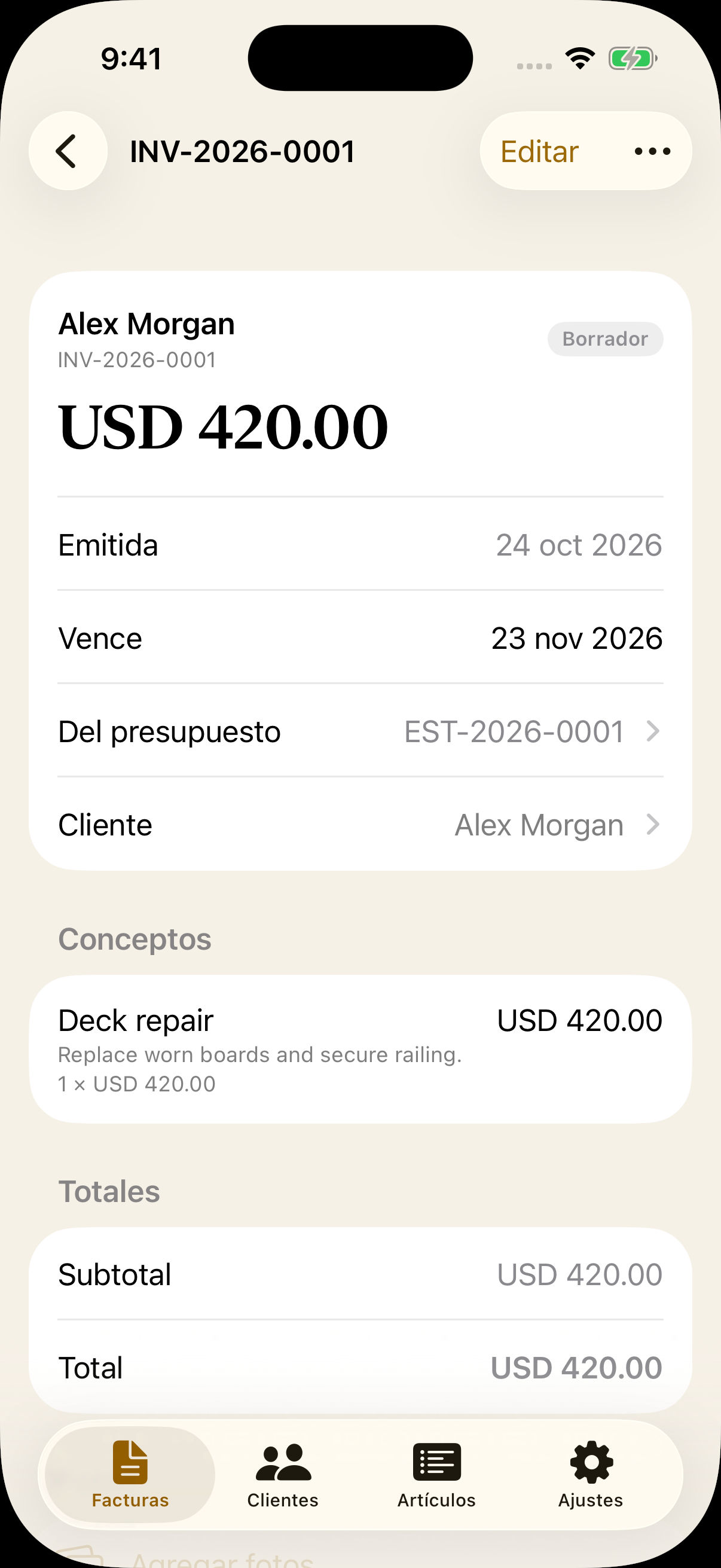
1. Set out the job in an estimate
Add your business details and the client, then create an estimate with the work and its prices. For a repair job, separate labor and materials so the client can see what is included. Preview the PDF, check the client's language and share it for review.
2. Turn the estimate into an invoice
Once the client accepts the estimate, mark it accepted in Billhead. When you are ready to bill, convert the accepted estimate into an invoice. Review the scope, amounts and payment terms before sending it. Add job photos and captions where they help explain the work; photos appear in the PDF appendix.
A sent document preserves its saved details. If the work changes, use a revision rather than treating the original as a moving target.
3. Record payment and share a receipt
Record the payments you receive. Partial payments leave an outstanding balance; once the invoice is fully paid, share its receipt so the client has a record. Recording a payment in Billhead documents it; it does not charge the client or move money.
See the example paperwork
Explore the estimate-to-receipt demo to see sample documents and job photos. The examples use fictional business details.
Trying the workflow
Billhead is coming soon to the App Store for iPhone. The free tier allows three document creations in total, including estimates and estimate-to-invoice conversions, and adds a SAMPLE stamp to free PDFs. Active Pro allows further creations and removes the stamp.
Need help? Read the support answers or email support@billhead.app.